
Clome
A home screen that tunes to your day
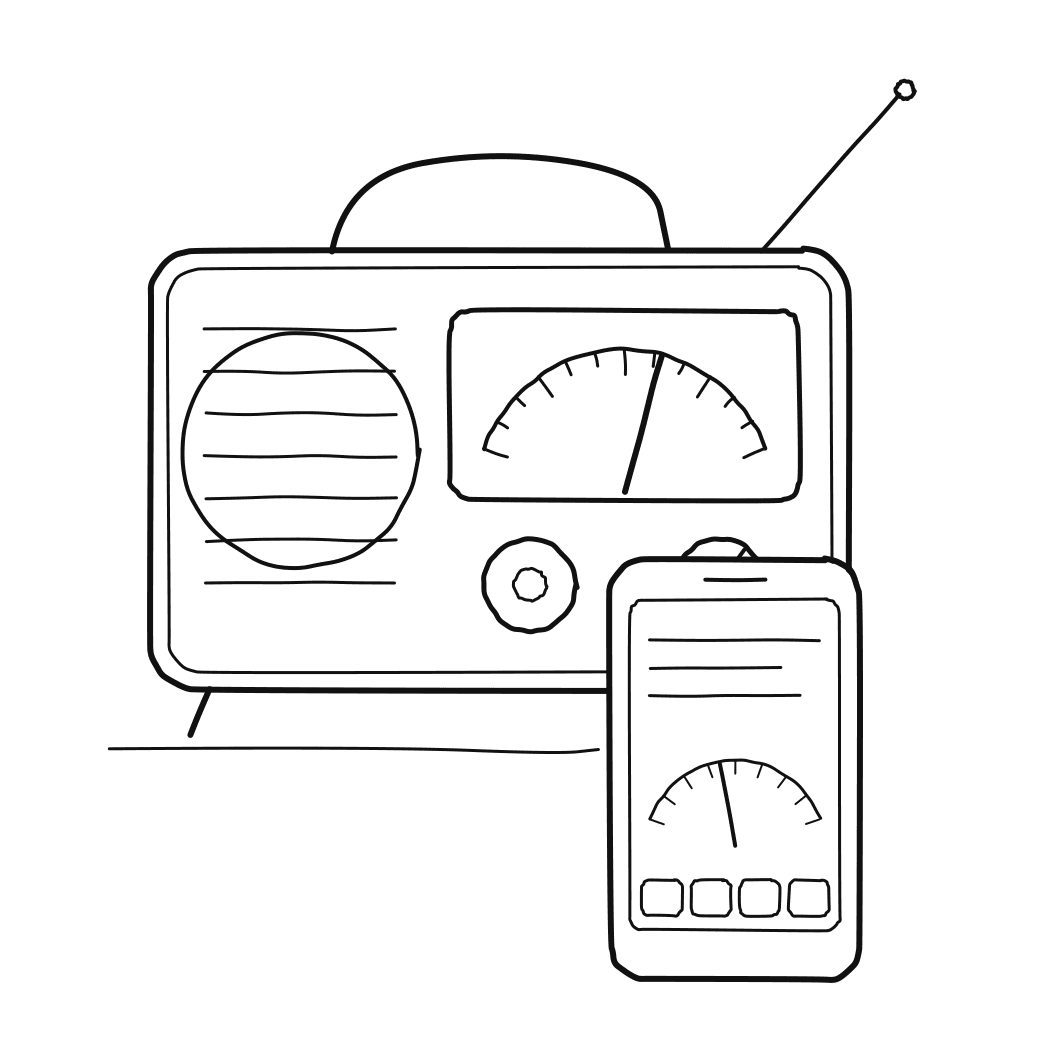
Clome replaces your Android home screen with a radio-style dial. Slide to any app, keep four preset keys for work hours, off hours and the weekend, and see what matters at a glance: new notifications first, local news in your language, weather, steps and live speed on the move.
- Built for
- Android users who want a calmer, smarter home screen
- Platform
- Mobile app
Clome is a mobile app.
Try the dial
Slack
CH 19 / 25
NEXT 10:30 · STANDUP
Slide along the dial, switch bands, or tap a preset key. On the phone, the keys learn the apps you open most in each band.
Set up in 5 stations
Station 01 of 05
Install and unlock
Install Clome and open it. It is invite-only while we build it: type the code from your invitation, or join the waitlist from the same screen.
What Clome is
Clome is an Android home screen built like a radio. Every app has a station on an A–Z dial, four preset keys change with the time of day, and the display shows what matters now: new notifications, local news, weather, steps and speed.
Most home screens are grids of icons that never change. Clome gives every installed app a fixed station on an A–Z dial: slide to tune, tap Open to launch. Four preset keys sit under the dial for the apps you reach for most.
Your day is split into bands: work hours, off hours and the weekend. The bands switch by the clock and change only your preset keys and what the display reads out. Clome learns which apps you open in each band and suggests the four keys for you.
When a notification arrives, the dial tunes to that app first and then carries on through the others. You can hide any app's notifications in Clome, such as a security app's permanent alert, without touching Android's own settings.
Above the display, a Today briefing shows your next event and headlines, newest first: city and state news in up to three Indian languages, plus the interests you follow. Everything is read on the phone; Clome has no account, no ads and no analytics.
What it does today
The A–Z dial
Every installed app has a station. Slide along the dial to tune, tap Open to launch, or search by name. Apps you hide stay findable in search.
Bands and preset keys
Work hours, off hours and the weekend each have four preset keys. Leave a key empty and Clome fills it with the app you open most in that band, or apply its suggestions in one tap.
Notifications first
A new notification tunes Home to its app and shows the latest messages above the display. Auto-tune then cycles through the apps that are waiting. Hide any app's notifications in Clome.
Local news in your language
City and state headlines in English, Hindi, Bengali, Marathi, Tamil, Telugu, Malayalam, Kannada, Gujarati, Punjabi or Odia, up to three at once, mixed with your interests and always newest first.
Steps and live speed
Steps today when you are still, walking speed from your step rhythm, and bus or car speed from GPS with a compass heading. GPS runs only while the screen is on and you are moving.
A wake screen
When the phone wakes, Clome shows the time, weather, steps or speed, prices if you follow crypto, and which apps have notifications. Unlocking is always Android's own; Clome never unlocks the phone.
Spends from bank SMS
Day, week and month spends by category, read from bank, card and UPI messages on the phone. Message text never leaves the phone and is never stored.
Fits every phone
Clome scales to every Android font size and display size, in portrait and landscape, and follows the phone's light or dark mode.
How it works
(01)Install and unlock
Install Clome and open it. It is invite-only while we build it: type the code from your invitation, or join the waitlist from the same screen.
(02)Make Clome your home screen
Choose Clome when Android asks for a home app, or set it in Settings → Apps → Default apps → Home app. You can switch back at any time.
(03)Pick what you follow
Choose up to three interests, such as Crypto, Stocks, AI & Tech or Sports, and your local-news languages. Clome fills the briefing and the readout from them.
(04)Allow only what you want
Every permission is optional and asked when you turn its feature on: notification access for unread counts, location for weather and speed, physical activity for steps, SMS for spends.
(05)Tune your day
Slide the dial, hold a preset key to save the tuned app there, and adjust your work hours under Bands. Clome takes care of the rest as the day moves on.
Who it is for
People who want a calmer phone
One dial instead of pages of icons, with only the apps that matter right now on the keys.
Commuters
Live bus or car speed with a heading, steps when walking, and local news on the wake screen.
Readers in Indian languages
City and state news in up to three of eleven languages, side by side with English.
People tracking their spending
Daily, weekly and monthly totals from bank and UPI messages, without sharing them with anyone.
Facts
- Platform
- Android 10 and later. Android package com.vspl.clome.
- Access
- Invite-only early access. Join the waitlist from the app's first screen.
- Account
- None. Clome works without signing in; an invite code is checked once to unlock it.
- Permissions
- All optional and asked only when you turn a feature on: notification access, usage access, calendar, location, physical activity and SMS.
- Where your data lives
- On your phone. Notifications, messages, location and screen time are read on the phone and never sent to Vikpalla. Settings are kept in the app's private storage and excluded from cloud backup.
- Battery
- Nothing runs while the screen is off. GPS and the compass run only while the screen is on and you are moving.
- Price
- Free. No ads, no in-app purchases, no analytics.
Questions
What is Clome?
Clome is a home screen for Android phones. It puts every app on an A–Z dial, keeps four preset keys for each part of your day, and shows notifications, local news, weather, steps and speed at a glance.
How do I go back to my old home screen?
Open Settings → Apps → Default apps → Home app and pick your previous launcher. Clome stays installed until you uninstall it.
Does Clome send my notifications or messages anywhere?
No. Notification text and bank SMS are read on your phone, kept in memory only while they are shown, and never sent to Vikpalla or anyone else. Only the categories you choose for spends are stored, on the phone.
How is speed measured?
Walking speed comes from your step rhythm. Bus and car speed come from GPS, which Clome turns on only while the screen is on and you are moving. It reads the speed only, never stores your position, and is not a speedometer — never use your phone while driving.
Which news languages are supported?
English, Hindi, Bengali, Marathi, Tamil, Telugu, Malayalam, Kannada, Gujarati, Punjabi and Odia. Pick up to three; Clome shows your city and state headlines in each, newest first.
Will Clome drain my battery?
No. Clome does no work while the screen is off, updates prices once a second at most, and turns GPS and the compass on only while you are moving with the screen on.